I’ve been thinking about what you mentioned regarding dealing with corrupted hard drives—a problem that’s surprisingly common but often mishandled. From my 15 years leading IT teams, what I’ve learned is that the path to recovery isn’t always straightforward, and many companies waste precious time chasing quick fixes that don’t address the root issues. The reality is, depending on the corruption cause—whether logical errors or physical problems—different approaches make sense. Here’s what really works from a practical standpoint, honed by experience and some hard lessons.
Understanding the cause of corruption is step one. Back in 2018, nearly every recovery solution promised miracles on logical-level corruption, but the game has evolved. Now we know a no-nonsense, layered approach that starts with diagnostics and proceeds with careful software or hardware interventions yields the best success.
Scan and Diagnose Using Reliable Tools
Before you do anything, get a clear pulse on the hard drive’s condition. In my experience, throwing random fixes at a corrupted drive is a recipe for disaster. The right tools identify bad sectors, firmware errors, or file system faults early. Programs like Stellar Data Recovery or the built-in CHKDSK utility for Windows catch most errors if you let them do their job thoroughly. We tried skipping this diagnostic step once, and it backfired by masking a deteriorating hardware issue. The data tells us that drives often fail due to physically damaged sectors that simply appear like logical errors at first glance. So, investing time here prevents deeper wreckage and informs your next steps effectively.
Use System File Check and Repair Commands
The system file checker is one tough, often overlooked ally. In one case, I worked with a client whose drive corruption stemmed from system file damage after an improper shutdown. Running tools like SFC (System File Checker) and DISM (Deployment Image Servicing and Management) not only repaired system files but improved stability significantly. The lesson? Don’t underestimate these built-in Windows utilities. While MBA programs might focus on theoretical recovery methods, the reality is, these commands do more good than many third-party paid solutions. They patch the drive’s logical structure safely without risking further data loss.
Employ Data Recovery Software With Care
When corruption blocks access to critical data, data recovery software is often the tool of choice, but it requires a delicate hand. I once had a project where a rushed deployment of recovery software caused file overwrites and permanent loss. What I’ve learned is that read-only software designed explicitly for corrupted drives works best—you want to avoid writing or altering the disk until you have good backups. Also, check whether the software supports your drive type and file system. For example, EaseUS Data Recovery Wizard is highly effective for FAT and NTFS systems, while R-Studio works well in complex RAID scenarios. Remember, this step is about cautious retrieval, not immediate repair.
Restore from Backups and Clone the Drive Before Repairs
One hard truth: if you haven’t been diligent with backups, you’re spinning your wheels. I’ve seen companies ignore backup policies until a drive fails disastrously. From a practical standpoint, restoring from backups is typically faster and safer. Before trying any fixes, clone the corrupted drive using tools like Clonezilla or Macrium Reflect. Cloning creates a snapshot to experiment on, so you avoid making irreversible mistakes. The 80/20 rule applies here—the majority of successful recoveries come from fallback options and cautious trial on clones rather than live attempts. During the last economic downturn, companies with strong data protocols bounced back quicker precisely because of this mindset.
Seek Professional Services for Physical Damages
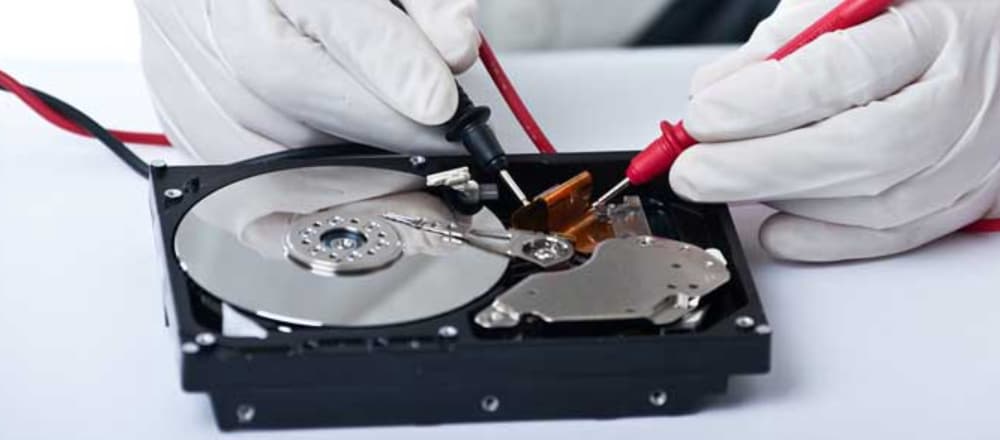
Physical damage to a hard drive is where DIY efforts usually hit a wall. The reality is, once there’s mechanical failure or significant platter damage, only experts with cleanroom facilities can salvage data. I once worked with a client who delayed professional intervention, leading to permanent data loss. If your diagnostics reveal physical faults like clicking sounds or motor failure, don’t hesitate to contact specialists immediately. Companies specializing in hard drive repair employ precise techniques and tools that average users can’t replicate. It’s an upfront cost that pays off when you consider the value of intact business data.
Conclusion
Look, the bottom line is that repairing corrupted hard drives is as much about careful method and patience as it is about having the right tools. What works isn’t a magic bullet but a disciplined process: diagnose accurately, use system tools, approach recovery software cautiously, always back up or clone before damage control, and rely on professionals when physical damage is evident. I’ve seen these steps save millions in lost productivity and recovery expenses. The real question isn’t whether your hard drive will fail, but when and how prepared you will be—fixing corrupted drives effectively comes down to strategic foresight backed by practical wisdom.
What causes a hard drive to become corrupted?
Corruption usually happens due to sudden power loss, malware, file system errors, or physical damage. These events disrupt data writing processes and cause logical or hardware faults that make the drive inaccessible or unstable.
Can corrupted hard drives be completely repaired?
Most logical corruptions can be repaired using software tools or system commands, but physical damage often requires professional repair and may result in partial data loss. Early diagnosis improves the chances of full recovery.
How do I use CHKDSK to fix hard drive corruption?
Run CHKDSK in the command prompt with parameters like /f to fix errors and /r to locate bad sectors. This tool scans the drive for file system problems and attempts safe repairs automatically.
Is data recovery software safe for corrupted drives?
When used properly, read-only data recovery software is safe and effective for recovering files from corrupted drives. However, careless use can overwrite data and worsen loss, so it’s critical to follow instructions carefully.
When should I consult a professional for hard drive repair?
If you hear unusual noises like clicking, or if diagnostics reveal physical damage, immediately consult professionals. Attempting repairs on physically damaged drives without the right tools can cause permanent data loss.